EAvision Software

EAvision Software Management Suite

The EAvision Software suite of applications provides the user and administrators with the tools required to plan, execute and record all activities related to Drone operations. The software is intuitive with a minimal learning curve for both experienced drone pilots and users who are new to the field. Features such as cloud connectivity and web-based interfaces using any device, jobs can be managed by teams with full reporting of activities in real time. 

In addition to Controller and Web-Based applications, EAvision Australia also provides customers with full access to support tools such as product manuals and videos, support ticket system and spares inventory management.

Software Modules

The Software modules consist of the following Applications.

  • Controller App (J100 / J150)
  • EAvision CRM System (Online portal)
  • EAvision Australia Knowledge Base
  • EAvision Australia Customer Ticket System
  • EAvision Australia Spares Management and ordering system.
Remote Control
J100 App Page

J100 Controller App

The controller APP runs on the EAvision Controller (EAV-RC50). The controller features a 7-inch high-resolution screen, 8GB of RAM, and 128GB of storage running on the Android System.


The controller app offers full functionality for managing all hardware devices, including firmware management, communication status, and other operational aspects. Additional features include workflow planning, job management and reporting.

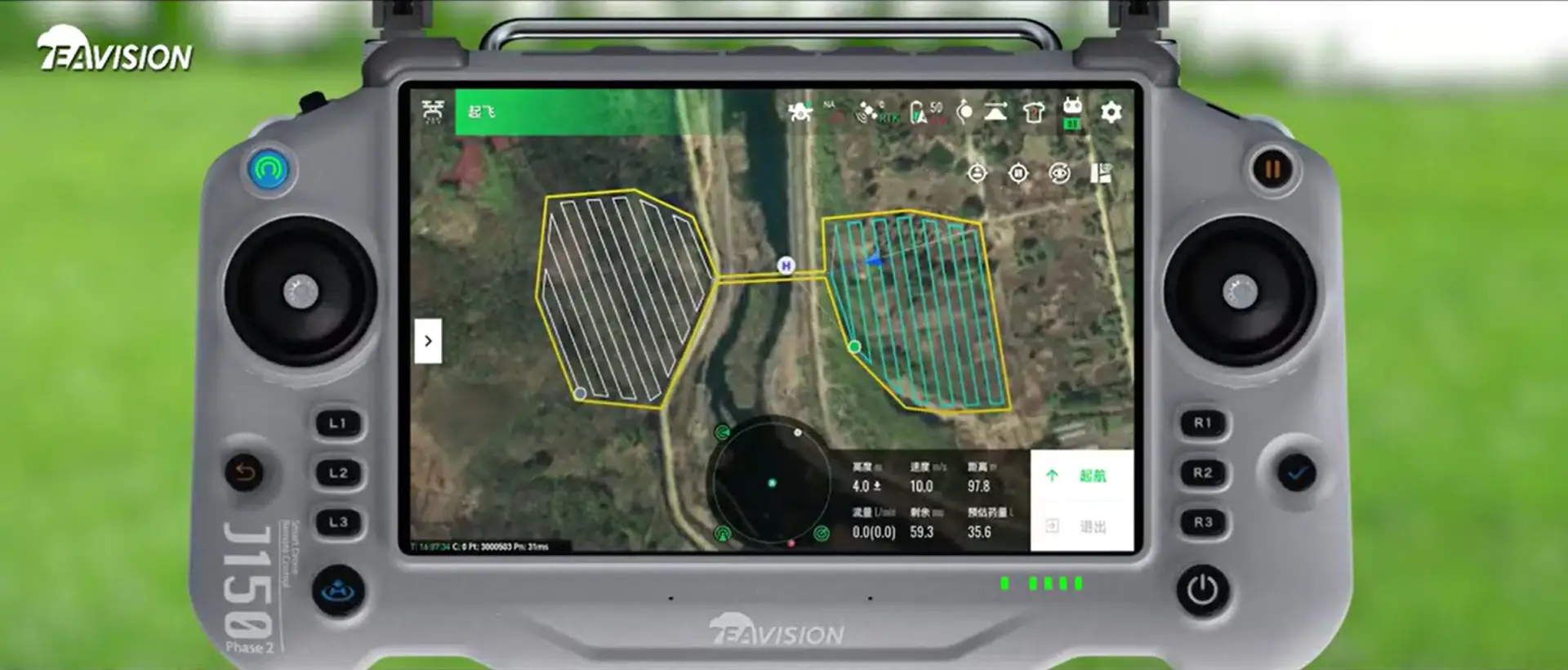
J150 Controller App

The EAvision J150 controller features the new SmartFarm 60 App and runs on the updated EAV-RC60 controller. 


The improved features of the SmartFarm app provides access to the additional features in the J150 drone. Similar to the J100 controller, the J150 SmartFarm app gives the user full access to the planning, management and reporting of drone activities.

J150 App Page
EAvision CRM Home Page

EAvision CRM Online portal

The EAvision CRM online portal is a web-based application that is accessible from any device with an internet connection. 


Through the online portal, the user has the ability to manage devices connected to their account, pre-planning fields, teams and reporting. 


The portal also provides the ability to upload high-resolution maps to your account for the advanced flight planning applications.


EAvision Australia Support Site

Knowledge Base

EAvision Australia customers are provided with access to our Knowledge Base. 


The Knowledge Base contains the following information:

  • EAvision Operations Manuals
  • EAvision Maintenance Manuals
  • Product tutorials
  • Advanced Operations Techniques
  • Service Bulletins


We continue to develop a deeper understanding of all the products we support. Our Knowledge Base is continually updated with the latest information as it comes to hand.


Public Knowledge Base
EAvision Support Site

Customer Ticket System

EAvision Australia provides full support for all of your EAvision products purchased through us. While phone support is always available, we also provide a full-function support system that ensures that all of the technical needs are managed from start to resolution.  Details of all requests are recorded and can be accessed for future reference. 


In addition to tech support, the system also provides clear details and guidelines for selecting and ordering the spares you need to keep your equipment running.